


A small marketing team’s calendar has a familiar shape. Four slots a month, each one a small crisis. Somebody drafts, somebody reviews, the deadline moves, and the post that ships is the one that was easiest to finish rather than the one that was most worth writing.
Meanwhile the company recorded a webinar, three customer calls, and a product demo last month. All of it sitting in a Drive folder, all of it more substantive than anything on the calendar.
The anchor article
The useful mental shift is to stop treating a recording as one blog post and start treating it as an anchor.
Import the recording, clean up the transcript, and generate one solid long-form piece — the recap, the deep-dive, whatever the source actually supports. That’s your anchor. It’s the asset with the most substance in it and the one you’d defend in a review.
Everything else on the calendar hangs off it. A newsletter section. A LinkedIn post. An FAQ built from the questions the audience actually asked in the Q&A. These aren’t padding; they’re the same material cut for different surfaces and different attention spans.
One 45-minute webinar reliably supports a month of calendar. Not because the content is stretched, but because you were never publishing 90% of what was in it.
Where the team’s judgment goes
The editor is the part that makes this a marketing process rather than a content-mill trick.
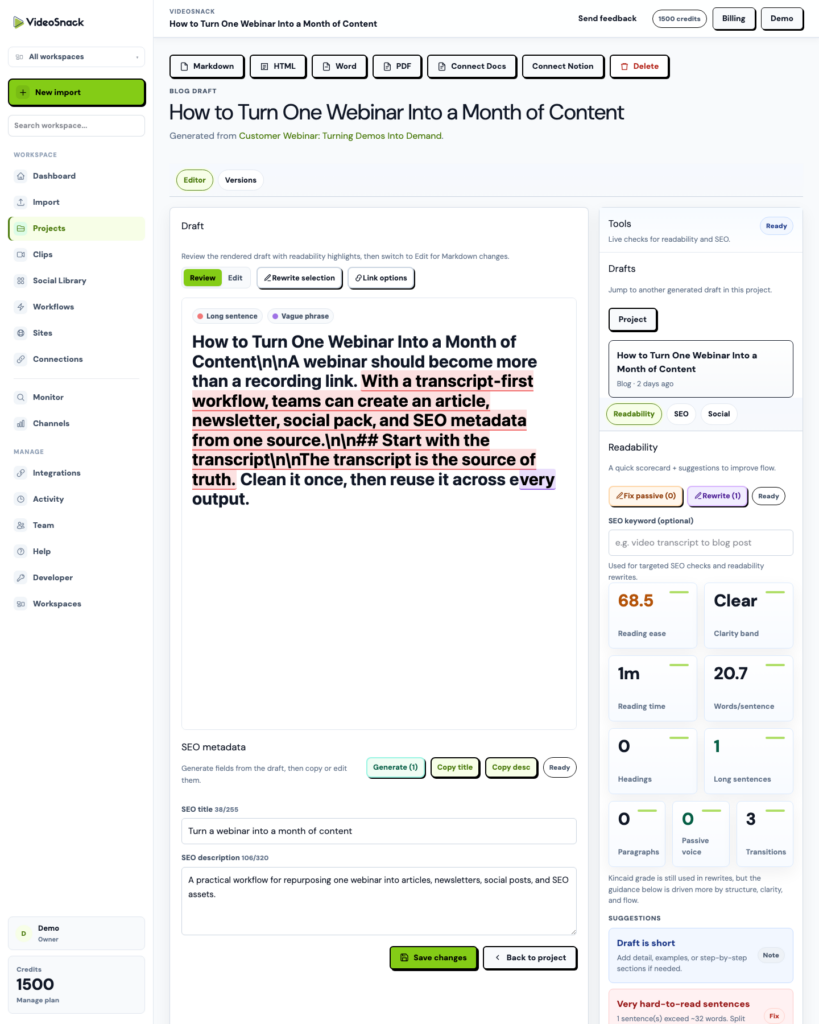
Review mode shows you the rendered draft. Markdown mode lets you get in and fix things. You can rewrite a section that missed without regenerating the whole piece — useful when the draft nailed the structure and fumbled the intro, which is the common case.
SEO title, description, and a checklist with a score are generated in place, so the metadata isn’t a separate ticket that gets skipped. And version history means an aggressive rewrite is recoverable. Somebody will change the angle too far. You’ll want the old one back.
Publishing without the copy-paste tax
Connect your WordPress site with an Application Password and drafts go from the editor to your CMS as posts or pages. No exporting Markdown, no fixing the heading structure that broke in transit, no reformatting images by hand.
If your reviewers live in Google Docs, export there instead. If the draft needs to go through legal or a subject-matter expert, Word and PDF are there. The exports exist because review processes are political, not technical, and you don’t get to redesign yours this quarter.
Consistency is the real win
Ask two people on the same team to repurpose the same webinar and you’ll get two different tones, two different structures, two different opinions about how long a recap should be.
A workflow settles it. Define the recipe once — anchor article, newsletter, social pack, with your tone and length and instructions baked in — and it produces the same shape every time regardless of who imported the file. New hires inherit the process instead of reinventing it.
That’s worth more than the time savings, honestly. A predictable calendar you can plan against beats a fast one you can’t.
Start with the recording you underused
Pick the webinar from last quarter that got one post and deserved four. Import it, generate the anchor, and see whether the draft is one you’d actually edit rather than rewrite.
That’s the only test that matters. The free trial has 100 credits, which is enough to run it. Start here.