

There’s a slump that hits about an hour after you publish an episode. The recording is done, the edit is done, the thing is live — and now there’s a second job waiting that has nothing to do with the part you’re good at. Show notes. An episode page. Something for X. Something for LinkedIn. A description that isn’t just the first two sentences of the transcript.
Most independent shows lose this fight quietly. The episode ships, the supporting content doesn’t, and six months later there are eighty episodes and no searchable trace of any of them.
The transcript you already have
Every episode you publish contains a few thousand words of your own material. It’s just trapped in audio, where nobody can search it, skim it, or link to it.
VideoSnack imports the episode — from a YouTube URL, a Loom link, or an uploaded MP3 or MP4 — transcribes it, and hands you the transcript before generating anything. Spend two minutes here fixing the guest’s name and the product you mispronounced. Every asset downstream inherits that fix, so it’s the highest-leverage two minutes in the process.
What one episode becomes
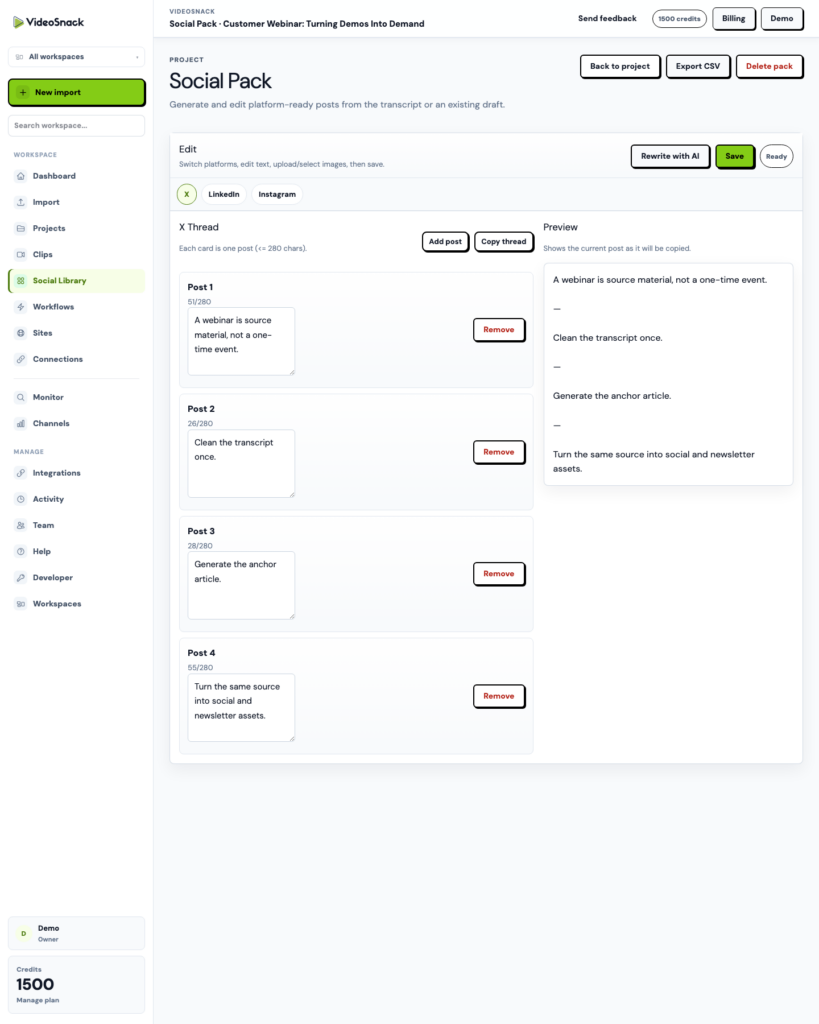
From that transcript, an episode workflow can produce show notes, an SEO-oriented episode article, and a social pack — X thread, LinkedIn post, Instagram caption and hashtags, carousel slides — in one run.
Worth being clear about what these are: drafts. Good ones, in the right format, but you’ll still want to add the timestamp links and cut the tangent that was funnier live than it reads. The point isn’t that the writing does itself. It’s that you’re editing instead of staring at an empty box at 11pm.
Let the feed do the starting
Here’s the part that fits a show specifically: attach the workflow to an RSS trigger and point it at your feed.
Now publishing the episode is the trigger. You don’t remember to run anything, because the thing you already do — pushing the episode live — starts the run. By the time you’ve closed your editor, the drafts are waiting.
That’s the difference between a tool you use and a process that runs. Most habits around supporting content die because they require a second act of discipline after the main work is done. This one doesn’t have a second act.
Somewhere to put it
The awkward question for most creators is where the written content actually goes. You probably don’t have a CMS, and setting up WordPress to host show notes is a weekend you’d rather spend recording.
Hosted Sites are VideoSnack’s answer. A branded public site on a subdomain or your own custom domain, with themes, a sitemap, and subscriber capture. Episode pages get somewhere to live, Google gets something to index, and you get an archive that isn’t just a podcast player embed.
The subscriber capture matters more than it looks. Every platform you publish on rents you the audience. An email list is the only part of this you own.
Start with your last episode
Don’t rebuild your process. Take the episode you published most recently, import it, and run one workflow with two steps — show notes and a social pack.
If the drafts are worth editing, wire up the RSS trigger and stop thinking about it. If they’re not, you’ve spent fifteen minutes and learned something.
The free trial includes 100 credits, enough to put a real episode through the whole thing. Start here.